





Optima Academy Online
Evolving an immersive education platform through custom WordPress development and AI-assisted support.
/ 01 Overview
The 2024 redesign gave Optima Academy Online a modern foundation. The work didn’t stop at launch. With the Fisher Agency team, I’ve helped build and keep evolving the WordPress platform: custom templates, reusable sections, new program pages and tools, and more recently an AI-assisted chat that helps visitors find their way.
/ My Role
Build: Custom page templates and reusable content sections
Front end: Approved designs turned into responsive components
Growth: New landing pages, sections, and interactive features
Integrations: Third-party services and the AI chat experience
Care: Responsive, performance, and accessibility upkeep
/ 02 The Challenge
A new kind of school, explained to many kinds of families. The site had to keep growing with the programs while staying clear, fast, and easy for the team to run.
/ What Had to Work
The model
Online K–12 with live and on-demand courses and virtual-reality learning.
Audiences
Families, students, and partners arriving with very different needs.
States & funding
Different programs, scholarships, and payment options by state.
Growth
A content library that keeps expanding without slowing down or drifting off-brand.
Admissions
A clear path to enroll from anywhere on the site.
AI, carefully
A chat assistant that helps without overpromising.
/ 03 From Redesign to Evolving Platform
A launch, then years of building on it. Each stage below is visible on the site today.
Only the initial launch is dated. Later additions happened over time, alongside new programs and enrollment seasons.
- 2024
Redesign & launch
A new site with Fisher Agency, built on custom WordPress templates.
- Foundation
Reusable sections
Heroes, card grids, media splits, and calls to action shared across pages.
- Growth
Audience pathways
Dedicated routes for homeschool, remote, military, athlete, and other families.
- Growth
State program pages
State offerings with scholarships, payment options, and VR courses.
- Tools
Interactive features
A clickable availability map and a scheduling tool for planning a school day.
- Tools
Courses & enrollment
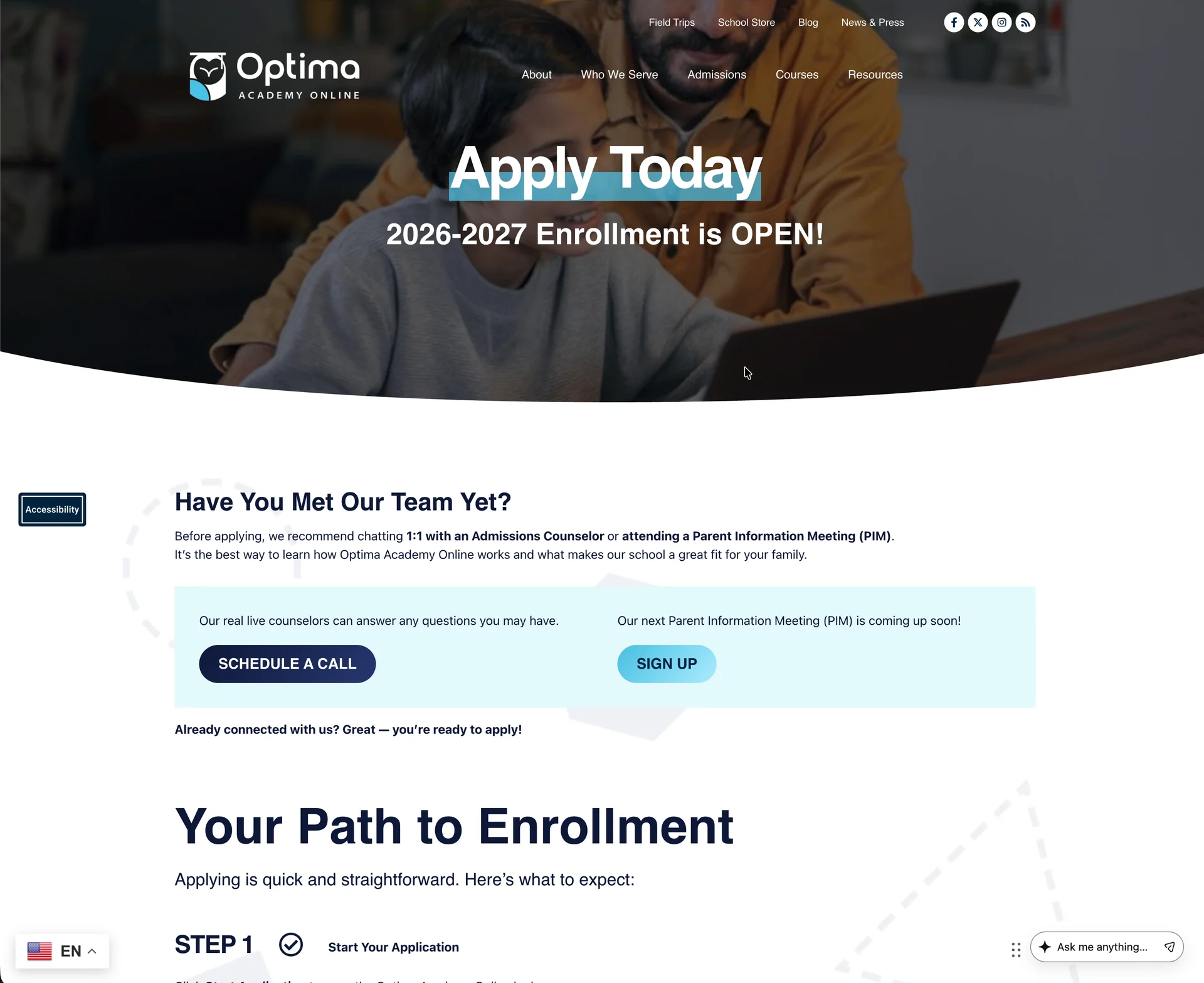
A full course catalog and a step-by-step path to apply.
- Recent
AI chat assistant
An always-available chat to help visitors find answers and next steps.
- Ongoing
Care & refinement
Responsive fixes, performance, accessibility, and content updates.
/ 04 Custom WordPress Development
Templates that turn new programs into pages quickly. When a new state program or audience needed a home, it could be built from the same tested parts instead of from scratch.
/ What I Work On
Templates
Custom page templates for home, programs, courses, and admissions.
Front end
Responsive components built from the approved designs.
Interactivity
Menus, carousels, the state map, and embedded tools.
Integrations
Third-party services and the AI chat, fitted to the site.
Testing
Desktop, tablet, and mobile, across modern browsers.
/ 05 Modular Content System
New pages, same system. These sections repeat across the site, so it can grow without losing its look.
Each one appears in the recordings on more than one page.
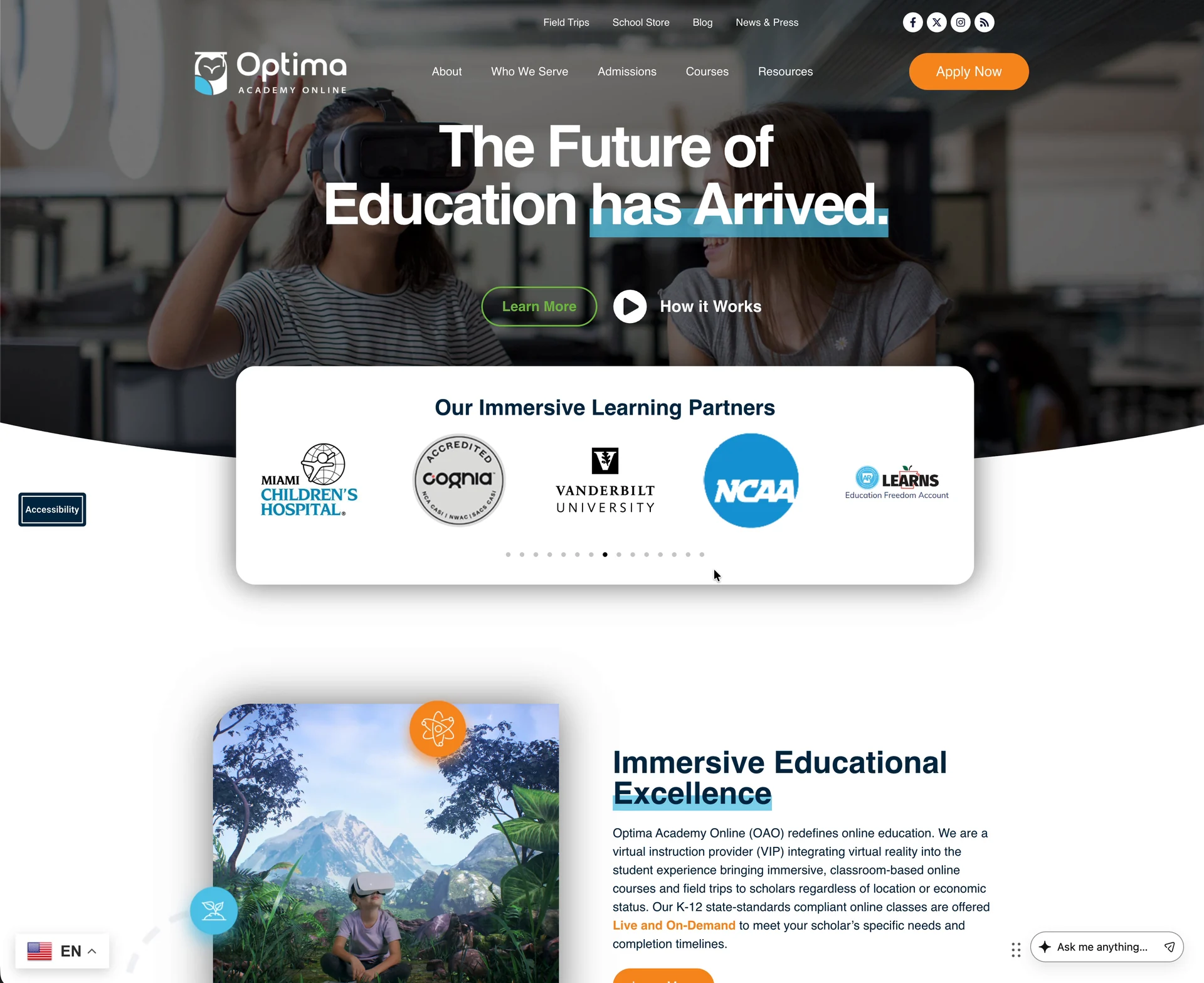
- Photo heroHeadline, calls to action, curved edge
- Partner carouselImmersive learning partner logos
- Media & text splitPhoto beside a heading and copy
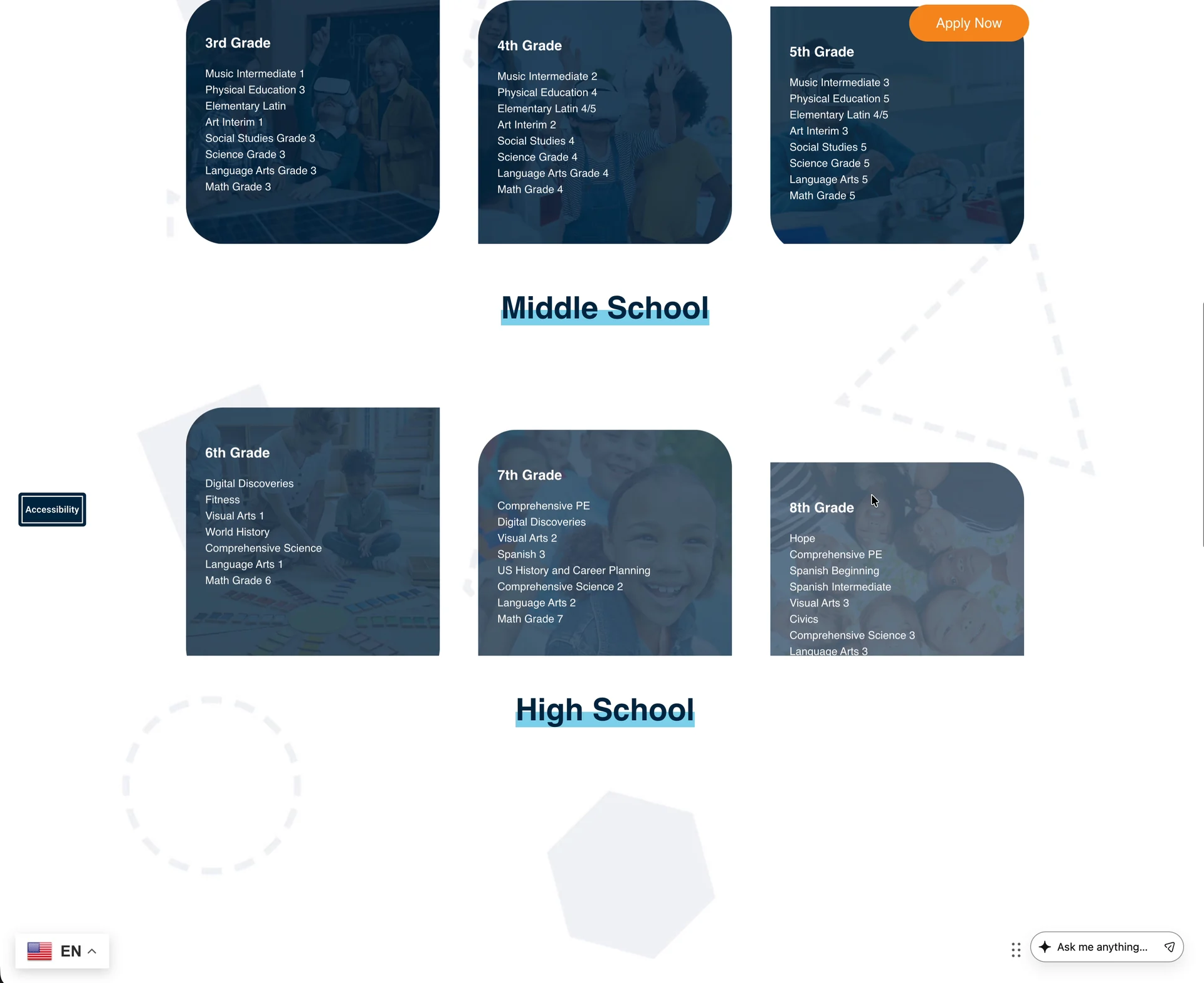
- Card gridsStart Learning and course cards
- Call-to-action bandsBuild Schedule, Apply Now
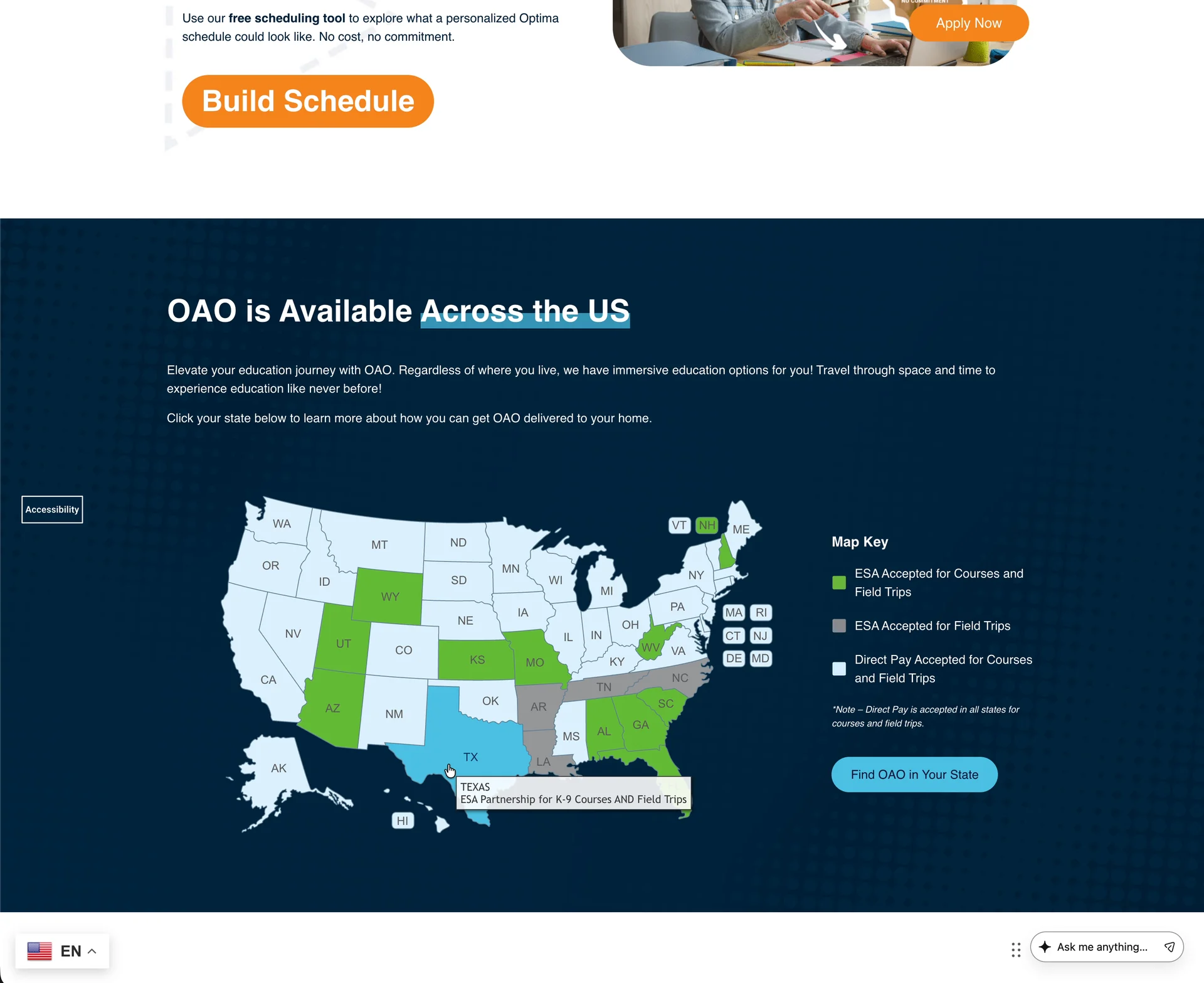
- State mapClickable availability by state
- Program tablesScholarship eligibility and funds
- Step listsThe path to enrollment
/ 06 Serving Different Learners & Families
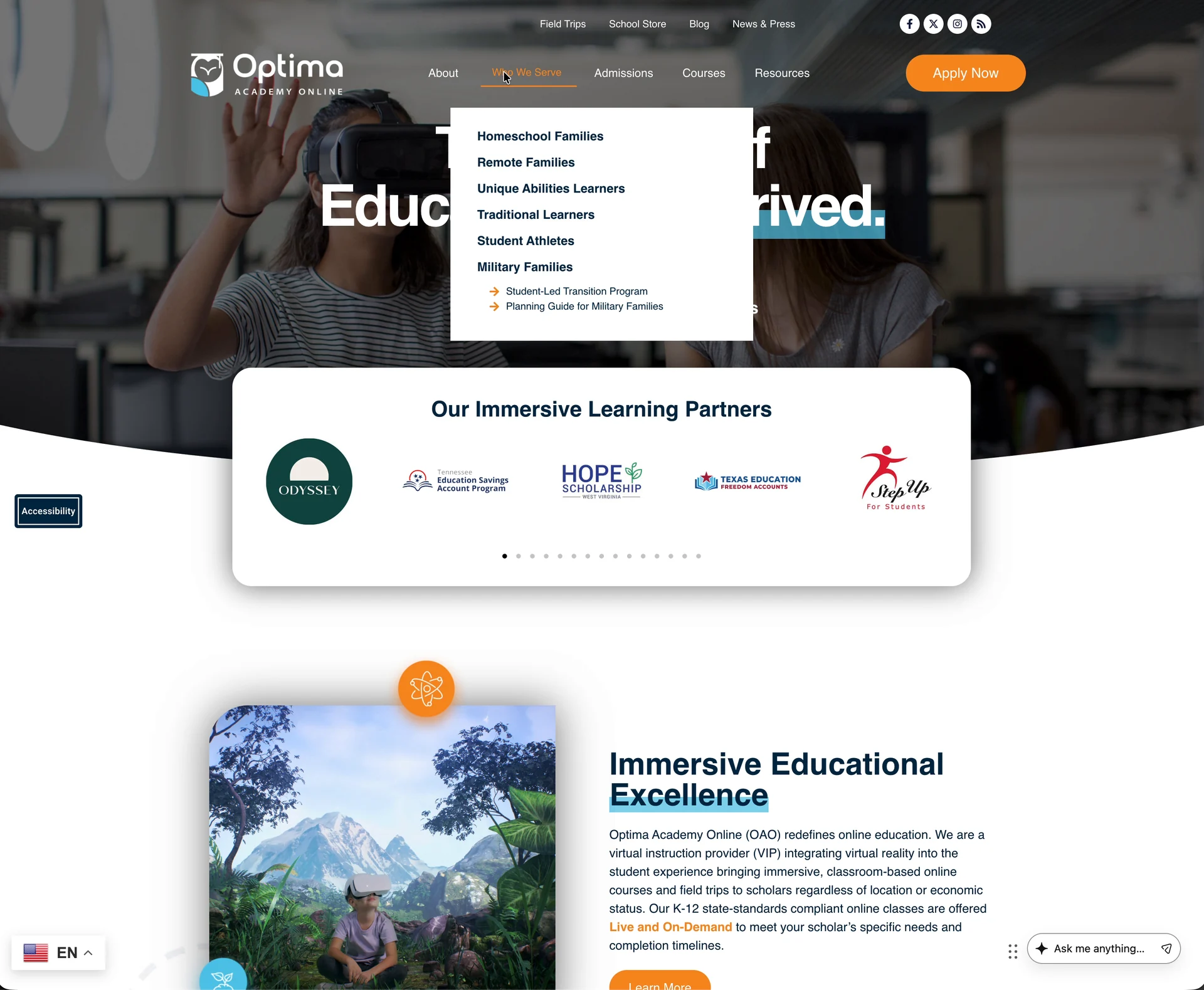
Six kinds of families, one menu away from their own starting point.
- Homeschool families
- Remote families
- Unique abilities learners
- Traditional learners
- Student athletes
- Military families
I built and maintain the pages these links lead to; the audience strategy came from Optima and the agency.
/ 07 Immersive Education
Explaining school in a headset. The site presents Optima’s learning options side by side, so families can compare them before they call.
/ Shown on the Site
- Online K–12 elementary, middle, and high school
- On-demand (student-paced) and live (teacher-led) courses
- Virtual-reality courses
- Virtual-reality field trips
- College credit options
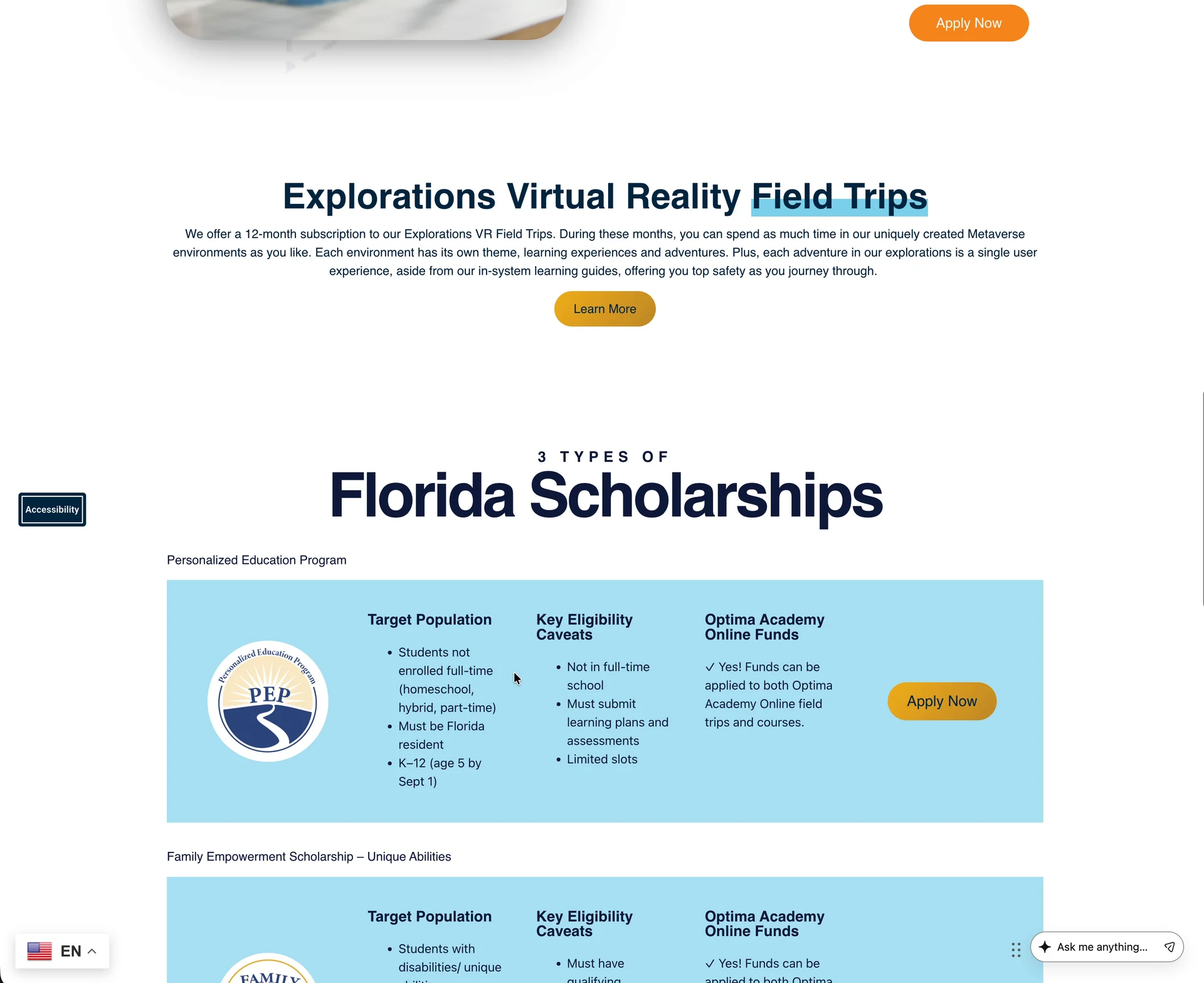
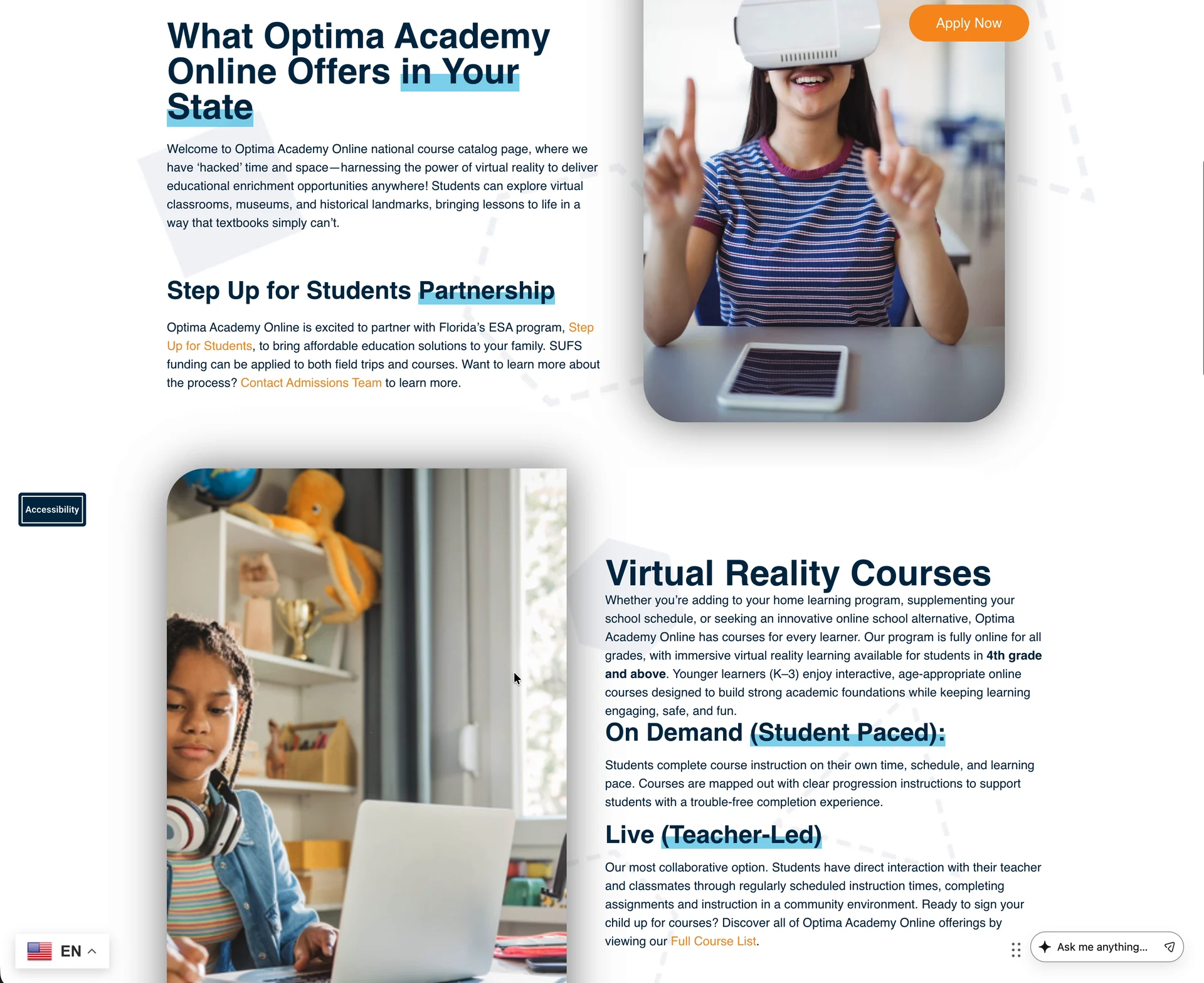
VR courses & field trips Course formats, VR options, and scholarship details presented on a state page.
/ 08 AI Chat Experience
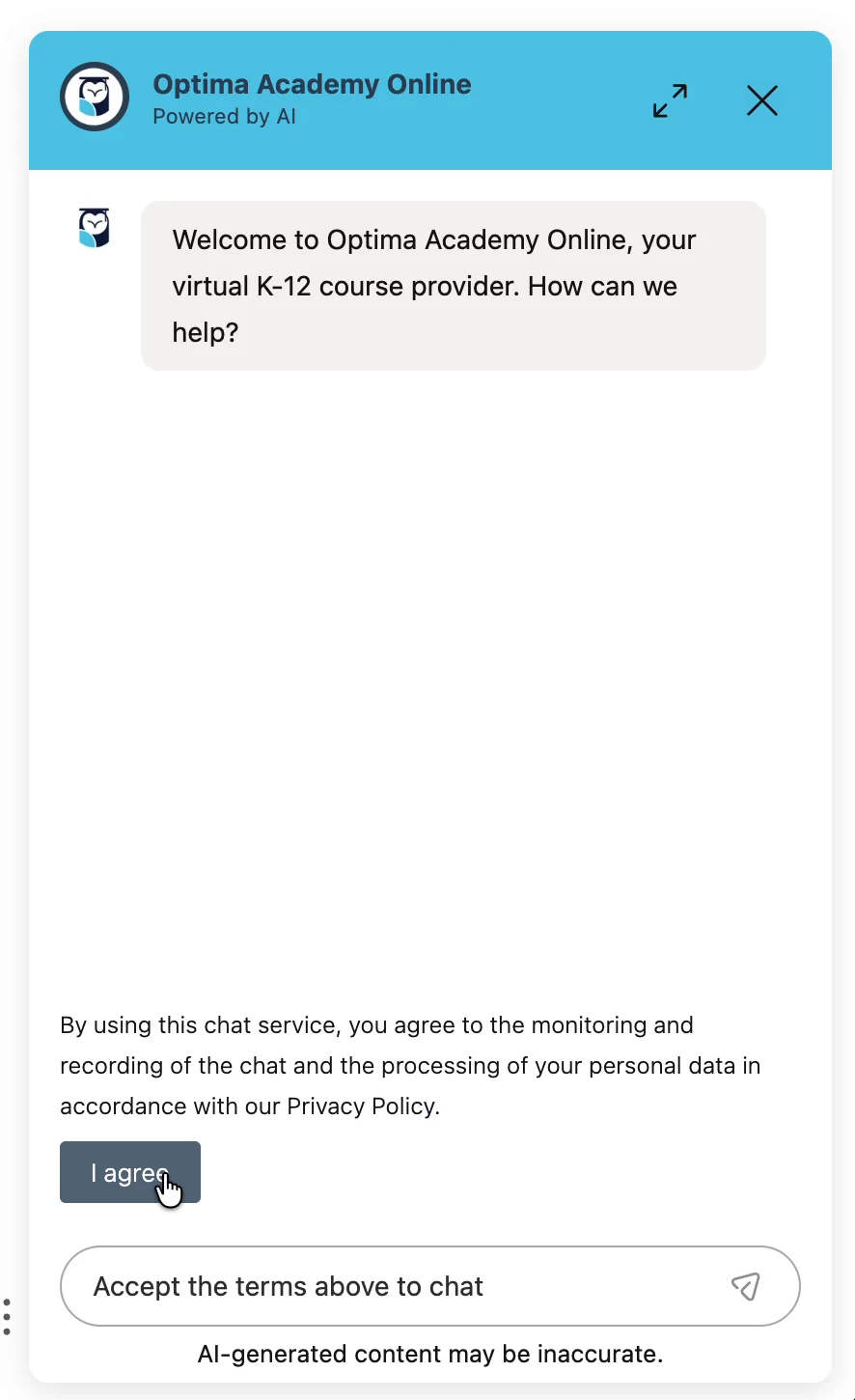
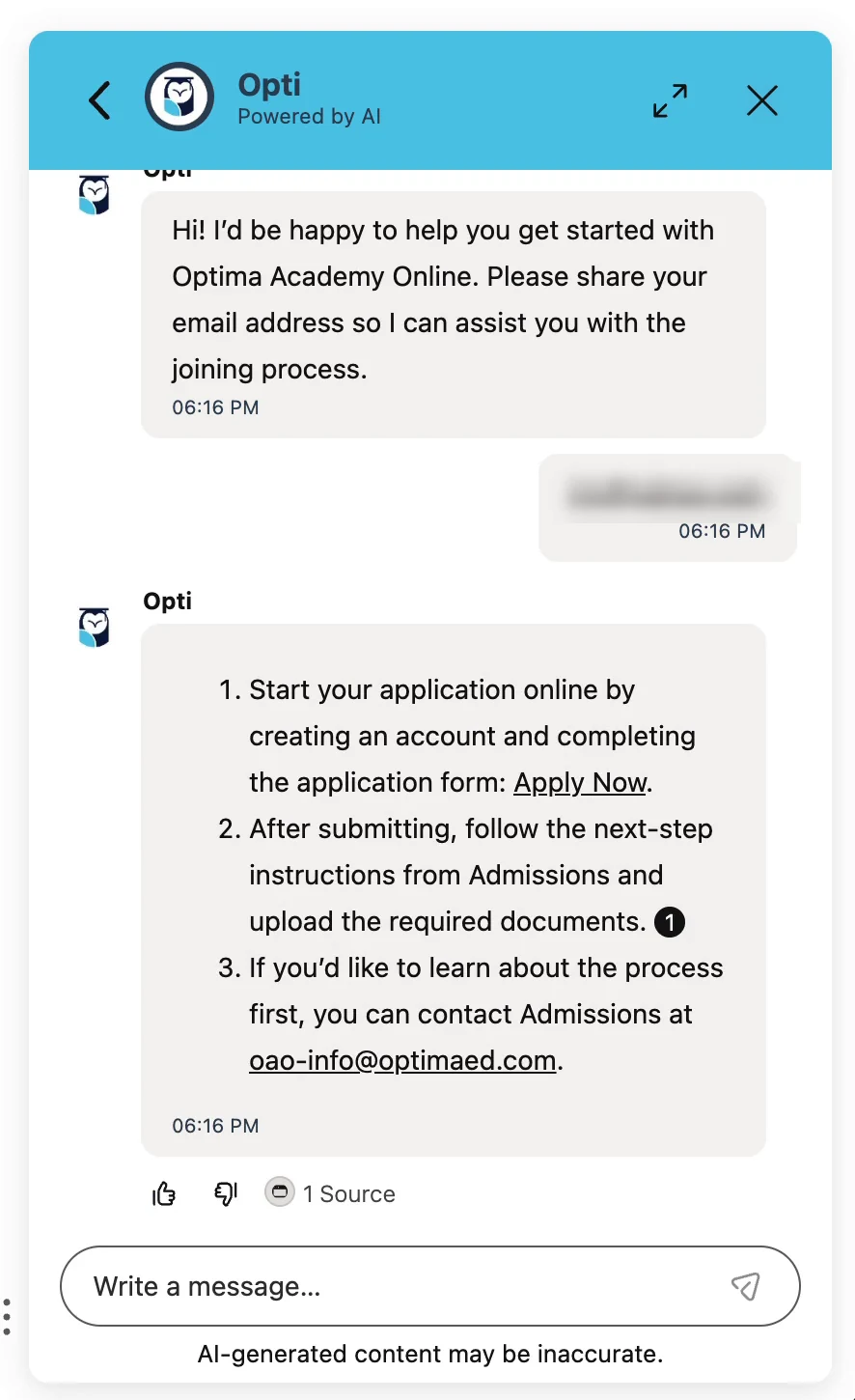
A guide for a growing site. I helped implement an AI-assisted chat that makes the site’s information easier to navigate, from first questions to next steps.
What the chat does
Always within reach
An “Ask me anything” bar sits in the corner of every page.
Consent first
A cookie notice and a monitoring consent appear before the first message.
Honest labels
“Powered by AI” in the header and “AI-generated content may be inaccurate” under every conversation.
Visible progress
“Thinking,” “Still thinking” and “Generating response” states while an answer is prepared.
Next steps, linked
Answers point to real pages, like the Apply Now form, and to the Admissions team.
Sources & feedback
A source count and thumbs-up or thumbs-down on each answer.

/ 09 Bringing the Chat Into the Site
Useful, clearly labeled, and never in the way. My focus was fitting the chat into the existing site: placement, behavior across screen sizes, and testing the flows families are most likely to use.
/ Designed With Care
A helper
It points to pages and to Admissions; it doesn’t make enrollment decisions.
Transparent
AI labeling and an accuracy notice are always visible.
Consent
Visitors agree to the chat’s terms before sending anything.
Human contact
Answers can hand off to the Admissions team.
Demo privacy
Neutral test questions only, with contact details blurred.
/ 10 Navigation & Content Discovery
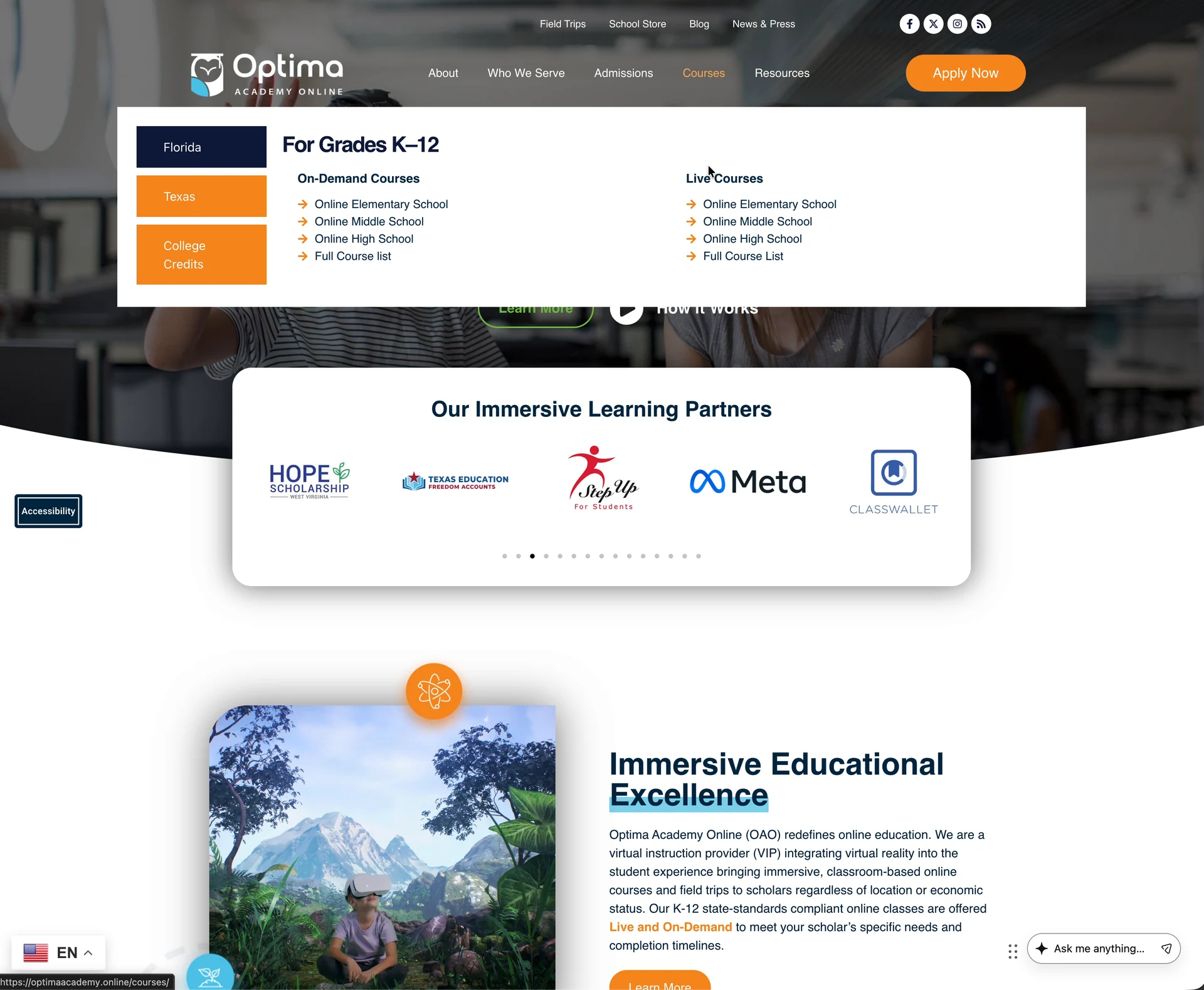
Five menus, one clear map. About, Who We Serve, Admissions, Courses, and Resources each open a focused panel; Courses groups options by state and format.
/ Ways In
- Dropdowns for about, audiences, admissions, and resources
- A courses mega menu with Florida, Texas, and College Credits tabs
- On-demand and live courses listed side by side
- A persistent Apply Now button
- Chat-assisted discovery from any page
/ 11 State Availability & Planning Tools
Answering “can we?” and “what would it look like?” A clickable map shows what’s available in each state, and a scheduling tool lets families sketch a school day.
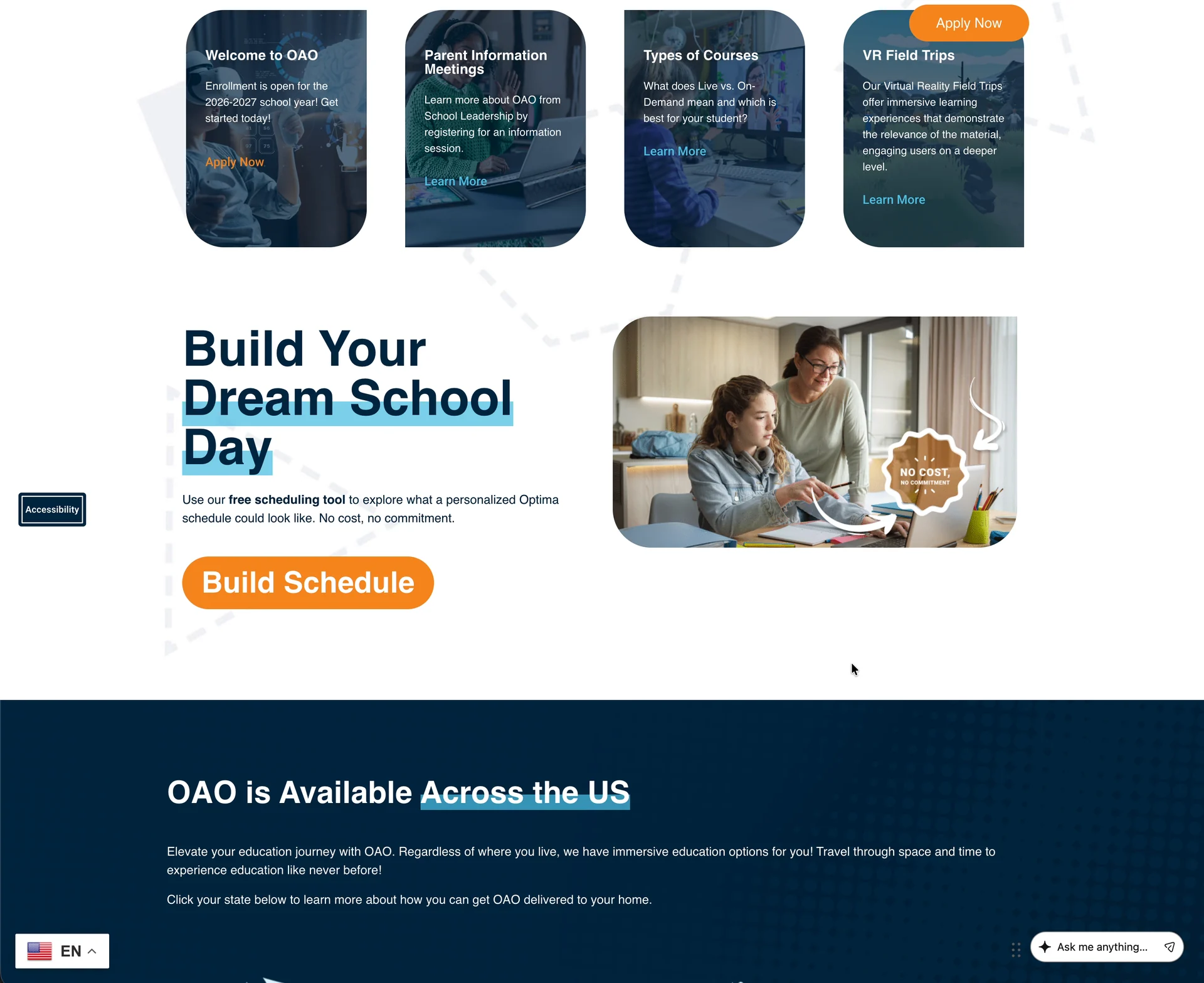
/ 12 Responsive Experience
Most families check on a phone first. On small screens the menus fold into a slide-out panel, headlines rebalance, and the chat bar stays in reach.
/ On Mobile
- Slide-out menu with expandable groups
- Stacked hero with large tap targets
- The state map, scaled to fit
- Chat launcher and language switcher kept visible
-
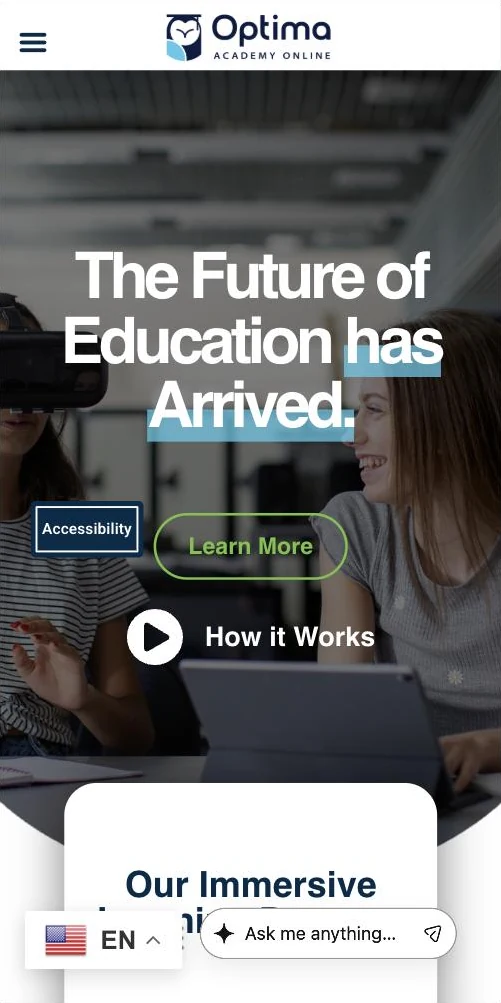
Home -
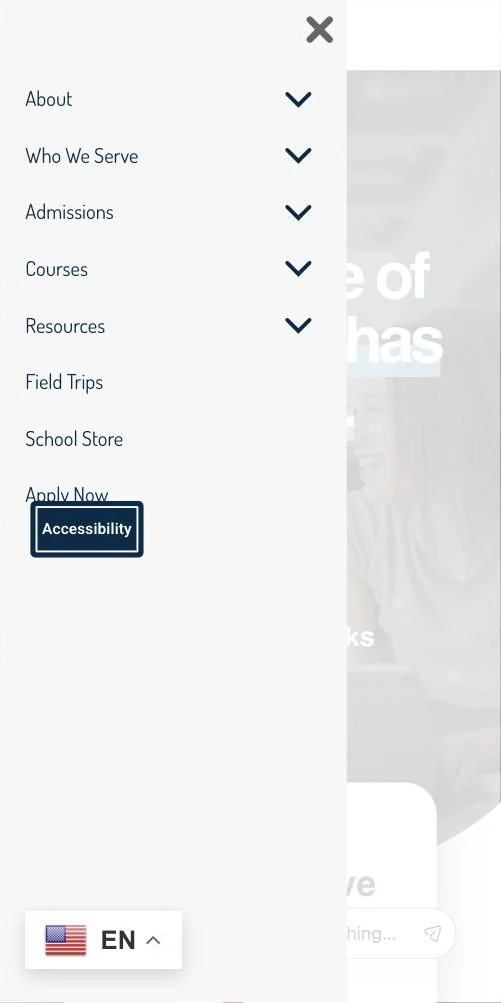
Menu -
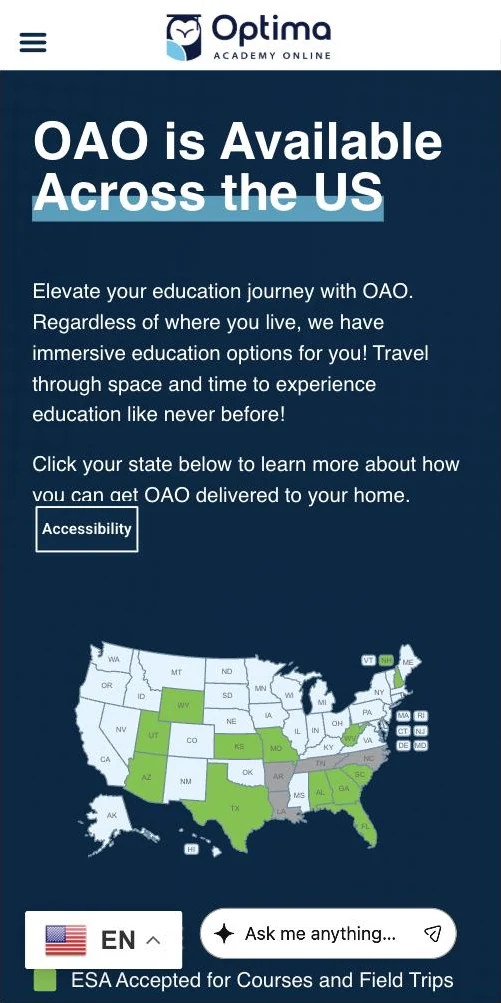
State map
Captured from the live site at 390px wide, September 2026.
/ 13 Visual Showcase
/ 14 Outcome
A platform that keeps up with the school it represents.
- A modern foundation for an online school
- A site that has kept evolving since launch
- Reusable WordPress sections and flexible content management
- Clearer pathways for families and students
- State pages, a course catalog, and planning tools
- Responsive presentation across devices
- AI-assisted discovery with clear labeling and consent
- A maintainable base for what comes next
/ 15 Reflection
Optima Academy Online has never been a single launch. As programs and audiences grew, the site had to grow with them without becoming inconsistent or hard to manage. A reusable WordPress foundation made that possible, and it gave us room to add new tools, including the AI chat, while keeping the experience coherent for families.
/ 16 Credits
Client: Optima Academy Online
My role: WordPress Developer
Development: Custom Templates, Reusable Modules and Ongoing Development
Feature development: AI-Assisted Chat Experience (implementation support)
Initial launch: 2024
Continued development: Ongoing
Live website: optimaacademy.online (opens in a new tab)